
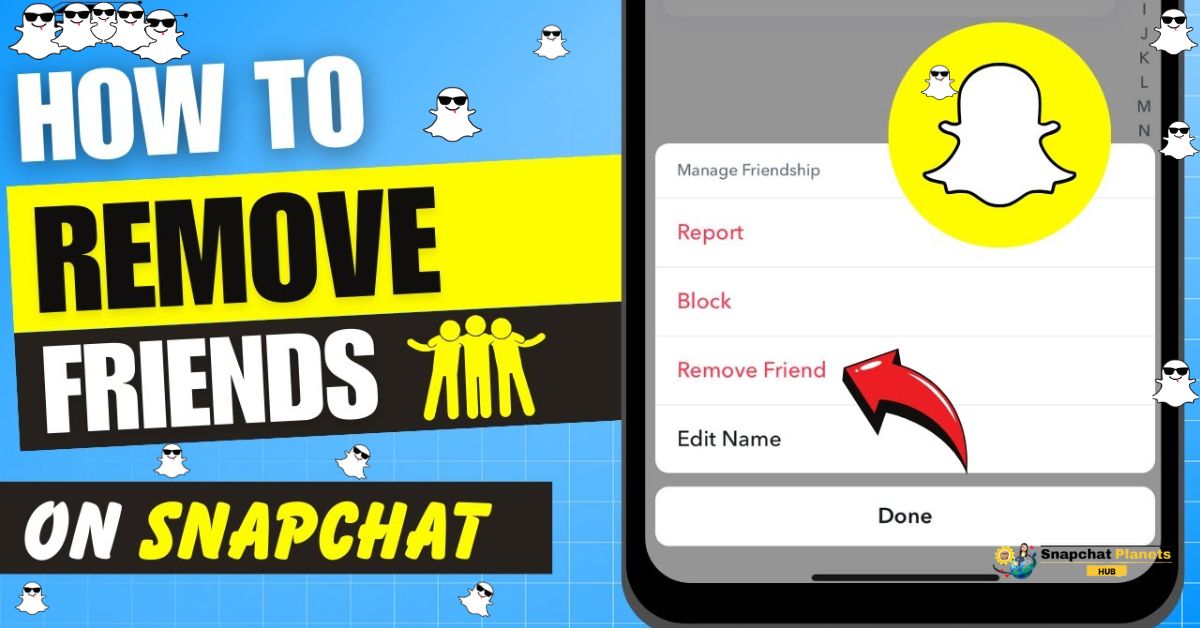
Did you know that managing your friend list on Snapchat can significantly change your experience on the app? Whether your Snapchat planets have become too crowded or you simply want to ensure a more positive space, learning how to remove Friend on Snapchat is essential.
This process declutters your friend list and also helps you connect more meaningfully with those you truly want to engage with. In this guide, you’ll find straightforward steps to streamline your Snap planets for a better experience.
How To Remove Friend On Snapchat
Removing a friend on Snapchat is a straightforward process that can help you clean up your friend list and enhance your experience on the app.
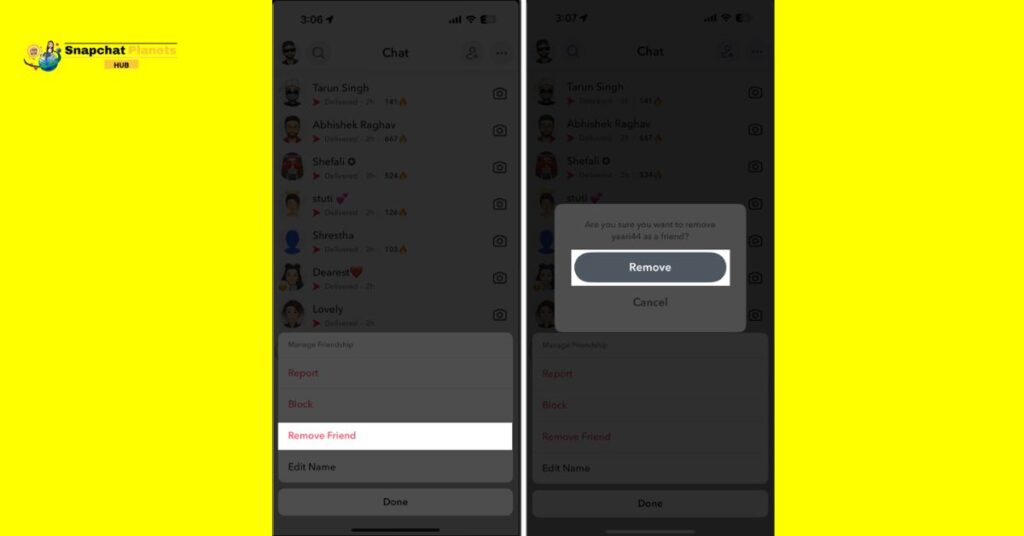
- Find the friend you want to remove.
- Tap and hold their user name to see a list of options.
- Select “Manage Friendship” from the menu.
- Tap “Remove Friend” to permanently delete them from your list.
- You won’t see their snaps or messages anymore.
- If they want to add you back later, you can decide whether to accept or not.
What Happens When You Remove A Friend?
When you remove a friend on Snapchat, the dynamic of your social circle shifts. No longer will their snaps and stories clutter your feed; they can’t send you direct messages or snaps unless they re-add you and you accept them back.
This action can feel like a clean break, yet it leaves the door open for them to reconnect in the future. It’s a reminder that friendships in the digital age can easily ebb and flow, often reflecting our current moods and needs.
If you’re hesitant to go all the way and remove someone, muting them can be a smart alternative. Muting keeps them on your friend list while effectively silencing their updates, allowing you to maintain a connection without the constant notifications.
This option can help manage your online space, especially if you’re looking to declutter your feed or reduce distractions without burning bridges.
Removing Someone From Your Best Friends List
Removing someone from your Best Friends list Snapchat can feel tough, especially if they were important to you.
- Your Best Friends list shows who you talk to the most.
- To change this list easily, just stop interacting with that person.
- If you stop sending snaps or messages, they will eventually drop off the list.
- If you want a more active change, focus on engaging with other friends.
- Send snaps and start conversations with new friends to shift your focus.
- You can also block someone, but this may feel heavier emotionally.
- It’s fine to adjust your social media to show who really matters to you.
- Remember, your connections can change, and so can your social space.
How To Replace A Best Friend On Snapchat
To change your best friend on snap bsf list, adjust how you snap.

- First, slow down snaps to your current best friend. This doesn’t end the friendship; it just shifts your attention.
- Next, snap more often to another friend. Share your day, funny memes, or selfies.
- Snapchat will notice the change and may promote your new friend to Best Friends.
- Be patient; it may take time for the app to update.
- This is an easy way to refresh your friend group without losing anyone.
Managing Best Friend Emojis On Snapchat
To customize your Best Friend Emojis on Snapchat:
- Open Snapchat and go to the chat section.
- Tap the three dots in the top right corner to open settings.
- Scroll down and choose “Customize Best Friend Emojis.”
- Select the emojis you like.
- Snapchat will change your best friend’s emojis to the ones you picked.
Conclusion
Knowing how to remove friend on Snapchat empowers you to create a more personalized and enjoyable experience on the platform. By using the steps outlined in our detailed guide, you can easily adjust your friend list to reflect your current social preferences. It’s essential to evaluate your connections and make changes that enhance your overall online interactions.
As you streamline your Snapchat universe, consider exploring other features like Snap Plus or the exciting new Snapchat solar system for even more engaging content. Take action now and refine your online connections for a more fulfilling social media experience!
FAQs
Do People Know if you Remove a Friend on Snapchat?
No, the person you remove won’t receive a notification, but they may notice they can’t see your Stories or send you Snaps.
How can I Remove Friends From Snapchat Fast?
Go to your friends list, tap on the friend’s name you want to remove, then select “Remove Friend” from the menu.
What is the Difference Between Remove Friend and Block on Snapchat?
Removing a friend simply removes them from your friends list, while blocking prevents them from seeing your content or interacting with you in any way.
How do I Permanently Delete a Friend on Snapchat?
To permanently delete a friend, go to their profile, tap on the three dots, and select “Remove Friend.” They will no longer have access to your Snaps or Stories.