Have you ever felt lost in the vast universe of Snapchat? Learning how to find friends on Snapchat can open up exciting opportunities to share moments and connect with new people. Understanding the Snapchat planets can make this journey smoother and more enjoyable.
We’ll break down three simple steps that will guide you in discovering your Snap planets, making it easier than ever to grow your friend list.
Find Friends On Snapchat
Finding friends on Snapchat is a breeze with its three handy methods. First, syncing your phone contacts takes just a moment, allowing you to instantly see who’s on Snapchat in your circle.
This is particularly useful for those who already have a solid network of friends waiting for you to connect. You’ll be surprised how quickly you can build your Snap friend list!
If you’re on the hunt for someone specific, searching by their username is a great option. You can easily type in their handle and, if they have a public profile, add them without hassle.
Lastly, the unique Snapcode method adds a fun twist. Instead of searching, you can point your camera at someone’s Snapcode, and voila! You’ll be friends in seconds. This playful engagement keeps the spirit of Snapchat alive, making friend-finding an exciting experience.
Sync Your Phone Contacts To Snapchat
To find friends on Snapchat:

- Start by opening the app.
- Tapping the Bitmoji icon in the top-left corner to enter your profile.
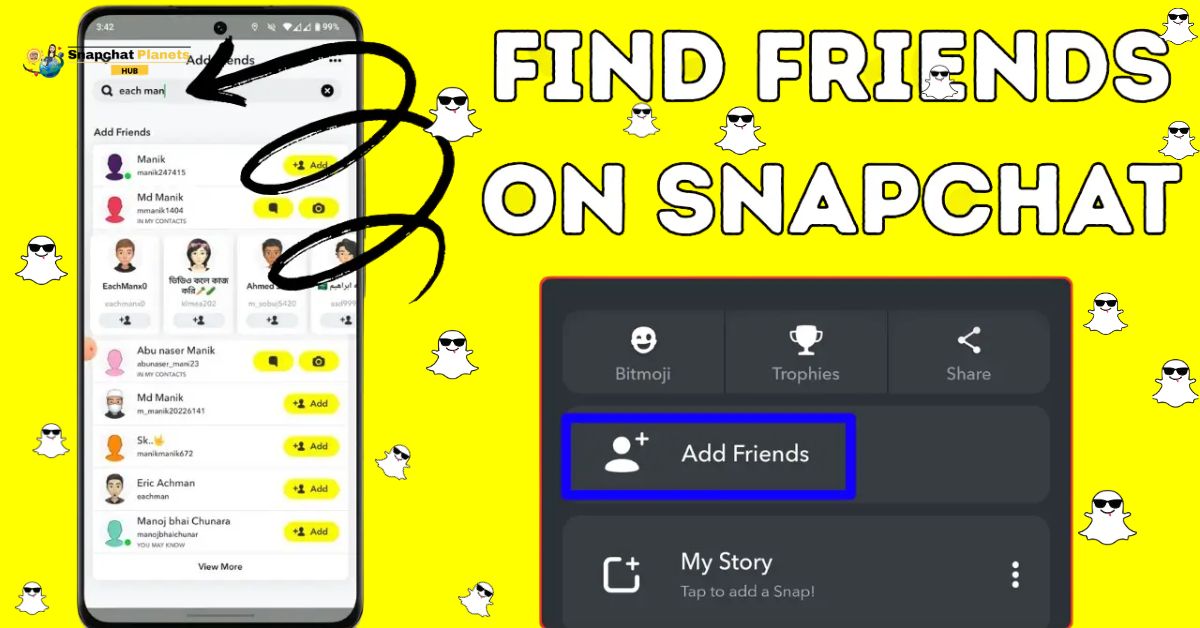
- Scroll down to find the “Find Friends on Snapchat” button, and tap on it.
- The app will then prompt you to sync your phone contacts, enhancing the chance of reconnecting with old friends or discovering new ones.
- Once you press Continue, you’ll receive a pop-up asking for permission to access your contacts, just tap OK to proceed.
- After syncing, a list will appear showing people from your contacts who also use Snapchat.
- You can quickly add them by tapping +Add next to their names.
This feature not only helps you grow your friend circle but also makes it easy to share snaps with the people you chat with most often.
Search By Snapchat Username: Find Anyone with Just A Few Taps
Finding friends on Snapchat is a breeze, especially with the username search feature. Whether you’ve just met someone interesting or want to follow your favorite celebrity, this tool lets you connect with anyone in just a few taps. To get started:
- Open Snapchat and navigate to the search bar at the top of your screen.
- Type in the username of the person you’re looking for and watch as Snapchat brings up matching profiles.
- Once you see the search results, take a moment to confirm you have the right account by checking their profile picture and name.
- This helps avoid any mix-ups, especially with common usernames.
- If you find the perfect match, simply tap the “+Add” button next to their name, and voilà! You’ve sent them a friend request.
This straightforward method not only helps you reconnect with acquaintances but also lets you discover new friends in the Snapchat community.
Scan Snapcodes: Add Friends Instantly With QR Codes
Scanning Snapcodes is a quick and fun way to connect with friends on Snapchat. To get started,

- Open the app and ensure you’re in camera mode.
- Ask your friend to display their Snapcode, which is that distinctive yellow box with black dots found in the center of their profile.
- With their Snapcode in view, point your camera at it and long-press the screen.
- Snapchat will do the rest, scanning the code and leading you to their profile.
- Just hit “Add Friend,” and voila! You’ve made a new connection in seconds.
Conclusion
Understanding how to find friends on Snapchat opens up a world of fun and interaction. Using the straightforward steps we’ve discussed will help you connect with friends and make new ones without any hassle.
Whether you’re scanning Snapcodes or looking through your contacts, there are plenty of ways to grow your friend list. So, take action now and dive into Snapchat to strengthen your friendships. Happy snapping, and may your friends list grow!
FAQs
How can I find friends on Snapchat?
To find friends on Snapchat, you can use their username, phone number, or scan their Snapcode.
What is a Snapcode?
A Snapcode is a special QR code that you can scan to instantly add someone as a friend on Snapchat.
What if I don’t know anyone on Snapchat?
You can explore public stories or friend suggestions to meet new people on Snapchat.