
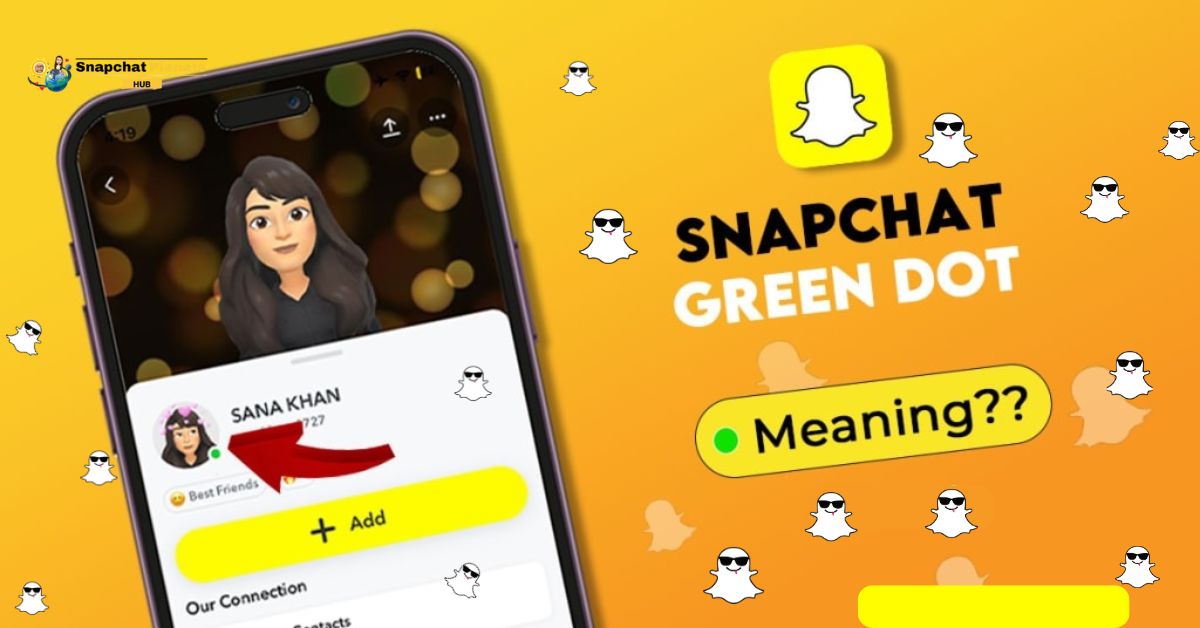
If you’ve been puzzled by the Snapchat Green Dot, you’re not alone! Many users are unaware that this little green indicator, found in the “Add Friends” section, signifies a user’s activity in the past day.
It’s essential to grasp the Snapchat Green Dot Meaning, as it can influence how you interact with friends and even the Snapchat planets they belong to.
This guide will clarify what does a green dot mean on snapchat and why it matters, ensuring you’re well-informed about your Snapchat interactions.
What Does the Green dot Mean on Snapchat?
The Green Dot in Snap planets, also known as the Activity Indicator, is a feature in Snapchat that appears next to a user’s name in the “Add Friends” section.
This little green icon signals that the person has interacted with Snapchat at least once in the past 24 hours.

It’s important to note that this does not indicate live status; rather, it serves as a quick way to see who’s recently active on the platform.
What Snapchat Green Dot Meaning NOT Include
The Green Dot Snapchat often leads to misunderstandings.
- Many think the Snapchat Green Dot Meaning is that the user is online now or just opened the app.
- The Green Dot only shows that someone was active in the last 24 hours.
- It doesn’t tell you when they were last active or if they are using the app right now.
So, if you see a Green Dot in Snapchat plus planets, it doesn’t mean they’re available or ignoring your messages; they might just be busy with other things.
Where You Will See The Green Dot
The Green Dot is a unique feature you’ll notice only in the “Add Friends” section of your profile, specifically when searching for new friends.
Unlike Facebook’s indicator showing if someone is online, this dot won’t appear in your chats, Stories, or any other sections of the platform.
This targeted placement encourages users to focus on building connections rather than getting caught up in online presence.
Why don’t I see The Green Dot On Some Friends?
If you don’t see the Green Dot on a friend’s Snapchat,
- They may not have used the app in over 24 hours.
- They might have turned off the activity indicator for privacy.
- A missing dot shows they haven’t been active recently, which could mean they are busy or taking a break from social media.
- Some users choose to keep their online presence private.
- This choice is part of a trend where more people want personal space or a break from digital interactions.
How To Turn Off The Green Dot
If you’re not a fan of others knowing when you’re active on Snapchat, you can easily turn off the Green dot on snapchat. This feature can feel intrusive, and many users prefer to keep their online presence private. Just a few taps will give you the peace of mind to enjoy the Snap plus planets without the pressure of constant visibility to friends.

- Start by opening Snapchat.
- Tapping your Bitmoji or Profile icon in the top-left corner.
- Next, hit the Settings button (⚙️) in the top-right corner.
- Scroll down until you find “Privacy Controls” and select “Activity Indicator.”
- By toggling this setting off, you’ll instantly disappear from the online radar, allowing you to interact with the app on your terms.
Conclusion
The Snapchat Green Dot meaning gives users valuable information about when friends were last active on the app.
It is crucial to note that it does not show if someone is online at that moment. If you’re worried about privacy, you have the ability to turn off the Activity Indicator anytime.
This allows users to enjoy Snapchat without feeling exposed. So, keep this information in mind and make sure your settings align with your comfort level!
FAQs
How Long Does a Green Dot on Snapchat Last?
The green dot appears as long as the user is actively using Snapchat. It disappears once they leave the app or become inactive.
What is the Meaning of the Green dot on a Snapchat Profile?
The green dot indicates that a user is currently active or online on Snapchat, making it easier to know when they are available to chat.
How Accurate is the Snapchat Green Dot?
The green dot is generally accurate, showing real-time activity; however, there can occasionally be slight delays due to network issues.
Can you see When Someone was Last Active on Snapchat?
Yes, you can see when someone was last active if they have their “Show My Last Seen” setting turned on. Otherwise, you only see the green dot when they’re currently online.