Ever struggled to remember your friends’ birthdays amidst the chaos of daily life? Learning how to check birthdays on Snapchat can be a game-changer! The app’s unique features, like Snapchat planets, make it easier than ever to keep track of these important dates.
By diving into this guide, you’ll gain insights into utilizing Snap planets to stay in the loop and strengthen your friendships with thoughtful celebrations.
Check Birthdays on Snapchat Cake Emoji – Your Built-in Reminder
Spotting birthdays on Snapchat is a breeze with the birthday cake emoji 🎂.
- Just open your Snapchat app.
- Tap the chat icon at the bottom.
- And scan your friends’ list.
If you see a little cake next to someone’s name, it means it’s their special day! This simple visual cue is a clever way to stay connected without the noise of constant notifications, letting you celebrate your friends more genuinely.
How to Find Birthdays on Friends’ Profiles
To check when someone’s birthday is coming up,
- Start by opening your chat with that friend or searching for their name.
- Once you find them, tap on their Bitmoji or profile picture at the top of the screen.
- Right under their name, you might see their birthday listed if they’ve chosen to share it.
Keep in mind that some friends may keep this information private, so not seeing a date doesn’t mean they don’t celebrate – it just means they’ve opted to keep it under wraps.
See All Upcoming Birthdays In One Place
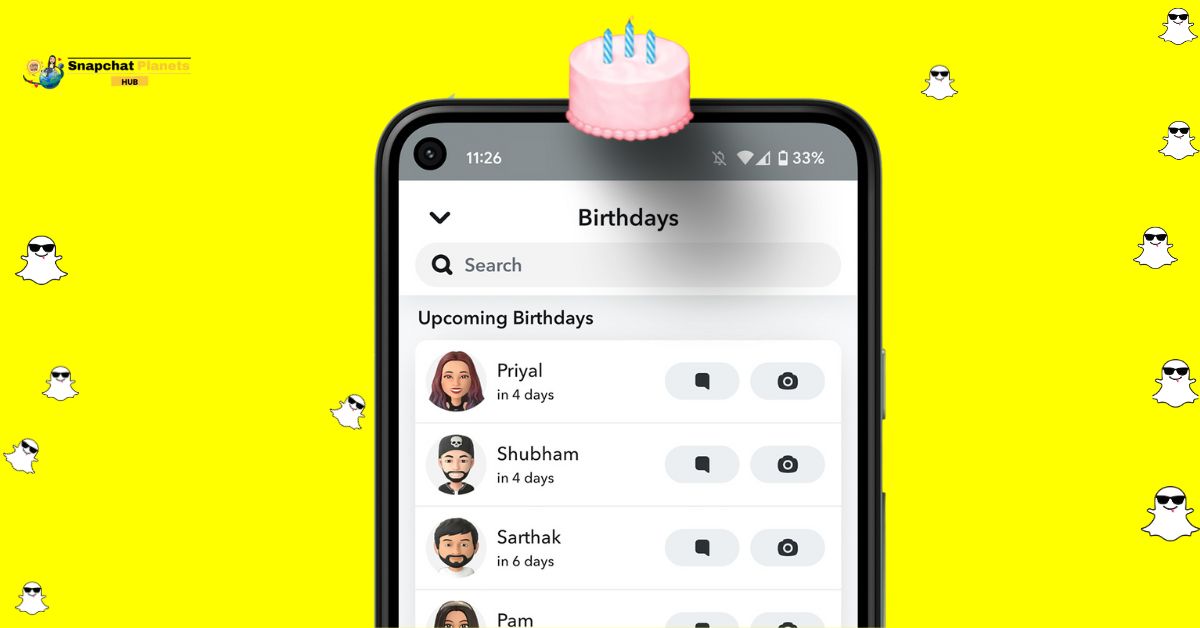
Snapchat makes it effortless to celebrate your friends’ special days with a handy feature that consolidates all upcoming birthdays in one convenient spot.
- Simply open a chat.
- Tap your friend’s name at the top.
- Select their birth date under their Bitmoji.
- Voila! You’re greeted with a calendar showcasing recent and upcoming birthdays, allowing you to efficiently plan your celebrations without the stress of last-minute scrambling.
This feature not only helps you stay organized, but it also fosters stronger connections by ensuring you never forget to send a thoughtful message or plan a surprise.
Why Can’t I See Someone’s Birthday?
If you’re not seeing birthdays for certain friends on Snapchat, there are a few intriguing reasons behind this.
- It’s possible that they simply haven’t added their birthday to the app, making it unavailable for others to view.
- Privacy settings also play a significant role; users have the option to keep their birth date private, meaning even close friends won’t have access unless they choose to share it.
- It’s worth noting that not all birthdays are celebrated in the same way. If their birthday is not approaching, Snapchat may not prompt notifications, leaving you in the dark about when to send your wishes.
Make Sure Your Birthday Is Set Up
When it comes to celebrating life’s milestones, your birthday deserves just as much attention as everyone else’s.
- Start by navigating to your profile, this is where the magic happens.
- Tap the gear icon for Settings, and you’ll quickly find the “Birthday” option.
- Here, you can input your special date and determine who gets to share in the celebration.
The savvy part is customizing your privacy settings; you can choose to keep it intimate among close friends or make it public for all to see, ensuring that your day is filled with warm wishes from those who matter most.
Conclusion
Understanding how to check birthdays on Snapchat allows you to stay connected with friends and celebrate those important moments in their lives. The app simplifies the process, giving you user-friendly tools to view reminders and special dates.
Regularly checking for birthdays can foster a sense of community and demonstrate your appreciation for those around you. Don’t miss out on the opportunity to connect and celebrate; make it a point to learn these tips. Dive into your Snapchat settings today and start celebrating!
FAQs
Can I see my own birthday on Snapchat?
Yes, to view your own birthday, go to your profile settings and click on “Birthday” under “My Account.”
Do I need to enable something for my birthday to show?
Yes, you must have the birthday feature enabled in your profile settings for it to be visible to friends.
How does Snapchat remind me of friends’ birthdays?
Snapchat sends birthday notifications to remind you of friends’ birthdays if you’re friends with them and they have made their birthday visible.